


SmartNews: Live News & Rewards
3.7120.02K Reviews
App Specs
- Version
- Varies with Device
- Updated On
- License
- Free
- Downloads
- 50,000,000+
- Developer
- SmartNews, Inc.
- Categories
- News & Magazines
- Platform
- Android, iOS
Screenshots
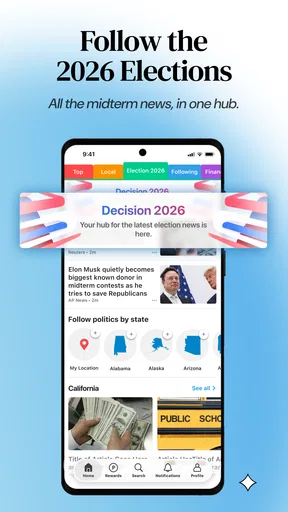
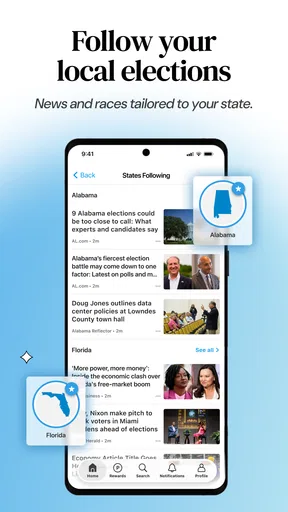
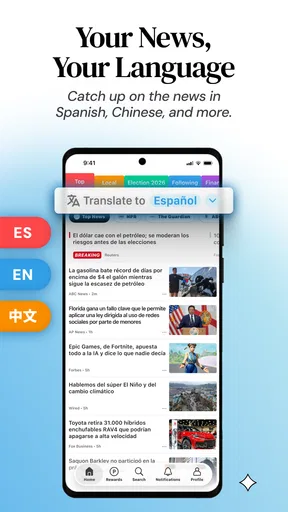
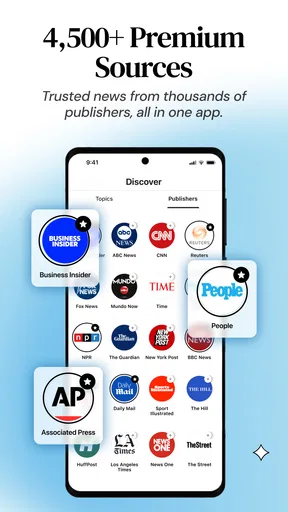



 Analysis by AppCompare
For a first-time user, a news app is only useful if it helps you get from opening it to finding a story worth your attention without adding another chore to the day. That is the test I’d use with SmartNews: Breaking News: treat it as a place to scan headlines from multiple sources, then decide which stories deserve a closer read. It is a free news and magazines app from SmartNews, Inc., and its broad approach can be handy when you want a quick overview rather than a separate app for every publisher.
What to expect from a mixed news feed
The main appeal is convenience: instead of checking several news sites one by one, you can browse a collection of headlines and move between subject areas. That makes the app useful for a short catch-up during breakfast, a quiet moment between errands, or a quick look at what is being covered on a topic you follow. The trade-off is that a broad feed is not the same as a personally edited briefing. You still need to choose what to open and judge which reporting is useful to you.
With a 3.7 average from around 694,000 ratings and more than 50 million installs, it is an established option, but those figures should not decide whether it suits your habits. News preferences are personal: someone who wants a single outlet’s voice may feel more at home in that publisher’s own app, while someone who likes to compare coverage may appreciate having a wider mix in one place. I would approach it as a convenient starting point, not as a substitute for checking original reporting on an important story.
Getting started without overthinking setup
After installing it, I’d begin by looking through the available sections and opening a few subjects I actually care about. The goal is not to build a perfect news system on the first launch; it is to make the first screen relevant enough that browsing feels worthwhile. If the selection feels too broad, focus on the categories that match your interests and give the feed time to show you what is useful. The app is rated Teen, so it is intended for a teen audience and older, rather than being a children’s news reader.
One practical first-session habit is to read beyond the headline before deciding that a story tells the whole story. A headline is a quick pointer, not a complete account, and two outlets can frame the same event differently. If a subject matters to you, open the article and note the publisher; then compare another report when the distinction could affect your understanding. That small routine makes a multi-source feed more valuable than simply swiping through headlines.
Your first useful routine
A realistic way to try the app is to check it once during a commute or before starting work: scan the main stories, pick one local or national item, and read it through rather than tapping every headline. On the way home, you can return to a subject that has changed during the day. This gives the app a clear job—helping you find what is worth your attention—without turning news checking into an endless loop.
If you are about to travel or expect to be somewhere with unreliable connectivity, prepare by saving or downloading anything you want to read while connected, where the app’s offline reading option is available. That is more dependable than assuming a story will load later. Offline reading is most useful for catching up on material you already selected; it should not be treated as a live update when you are disconnected.
Worth Reading Before You Choose

Switching to Android Auto Means Rethinking Your Driving Routine

Google Calendar Makes a Crowded Week Easier to Manage

Baby Panda World Brings Quick Play to Modern Phones, but Its Game Library Feels Busy

ESPN’s Live Game View Makes Following Close Games Easier

QuizzLand Review: A Good Fit for Short Trivia Breaks, Not Every Player

Basketball Stars: Multiplayer Is Fast, but Can It Recover When Matches Go Wrong?
All About SmartNews
SmartNews is an intuitive news app designed to keep you informed with the latest headlines at lightning speed. Its sleek interface and smart algorithm curate news from various sources, ensuring you get a balanced perspective on current events. No more bouncing between apps or tabs; everything you need is right here.
Interface and User Experience
First off, the interface is clean and user-friendly. You won’t find yourself lost in a sea of options. It’s straightforward: open the app, and you’re greeted with a colorful selection of news categories. You can easily swipe through sections like Entertainment, Politics, and Tech. It’s like flipping through a digital magazine, but without the paper cuts.
The app’s design is minimalist, which I appreciate. It doesn’t overwhelm you with information, and everything is within a swipe’s reach. Plus, the reading experience is smooth, with articles loading quickly and images displaying crisply.
Features You’ll Love
One of the standout features is the Offline Reading Mode. I mean, how often have you wanted to catch up on the news while on a subway or somewhere without Wi-Fi? With SmartNews, you can download articles and read them offline. It’s a lifesaver for those of us constantly on the go.
Another nifty feature is the News From All Sides option. It allows you to view stories from different perspectives, which is crucial in today’s world where media bias can skew our understanding. You get a more rounded view of the news, which is refreshing.
How to read across sources thoughtfully
When several outlets cover one event, I find it helpful to compare what each report emphasizes instead of expecting them to sound identical. Look for the points they agree on, then notice which details or context appear in only one account. That is a more useful way to use a range of sources than treating the presence of multiple headlines as proof that every angle is represented. For a developing story, early reports can change, so I would revisit it later rather than rely on one quick scan.
This is also where the app’s broad approach has a limit. A collection of sources can expose you to different reporting, but it cannot make your judgment automatic. If a claim is consequential, follow the article to its source and read the full context. For specialist topics, such as a complicated legal or scientific issue, a dedicated publication with deeper coverage may serve you better than a general news feed. I see SmartNews as a discovery and catch-up tool, not an authority that removes the need to think critically.
Where the trade-offs show up
A feed that brings many stories together can save time, but it can also make it tempting to skim too much. If you keep swiping without choosing a story, the app may become another source of noise rather than a calmer way to keep up. I’d set a modest purpose for each visit—check local updates, scan major headlines, or follow one topic—and stop when that purpose is met. This is a personal reading habit rather than a special setting, but it makes a meaningful difference to how useful a headline-driven app feels.
There is also a difference between seeing a story surfaced and receiving a complete picture of it. A short headline can leave out nuance, and a selection of articles will inevitably reflect choices about what appears in the feed. If you need comprehensive coverage of a fast-moving event, check a trusted news outlet directly as well. If your preference is a tightly controlled reading list or one publication’s full archive, a publisher app or a manually chosen set of sources is likely a better fit.
Cost, version, and choosing the right fit
The app is free to install, with in-app purchases listed at $3.99 to $4.99 per item. I would start with the free experience and decide whether it already fits your routine before considering any purchase. It runs on Android and iOS; the current version is 25.12.40, and the listed Android minimum is version 8.0. SmartNews was released on March 26, 2013, so it has been around long enough to become a familiar name in mobile news, though longevity alone does not make it the right reader for everyone.
Compared with checking publisher apps individually, this app can make a quick cross-source scan easier. Compared with a single newspaper’s app, it may feel less focused and less suited to readers who want one publication’s complete reporting experience. And compared with social feeds, a news-focused reader gives you a more deliberate place to browse articles, but it still rewards checking sources rather than reacting to a headline. The best choice depends on whether you value breadth, depth, or a particular outlet’s editorial approach most.
When I would recommend it—and when I wouldn’t
I’d recommend trying it if you want a free, general-purpose way to see a spread of headlines and you are willing to choose articles carefully. It is particularly convenient for a brief daily scan or for finding another report on a topic you already follow. I would skip it if you dislike browsing across publishers, want every story selected by a specific editor, or need deep specialist reporting as your main source. In those cases, a trusted publication’s own app, or a small set of sources you choose yourself, may be a more satisfying routine.
If you are unsure whether the feed will match your interests, give it a few short sessions rather than judging it from one glance. Notice whether the categories lead you to stories you would otherwise miss, whether you actually read the articles you open, and whether the selection makes you feel informed instead of overwhelmed. Those are better tests than the sheer volume of headlines. If it does not help you reach a useful story quickly, there is no reason to force it into your routine.
Why You Should Give It a Try
If you’re tired of the clutter and want a more streamlined way to consume news, SmartNews: Breaking News might be worth your time. It’s not just another news app; it’s a thoughtfully designed platform that respects your time and keeps you well-informed.
With its smart categorization, offline capabilities, and diverse news sources, it stands out in the crowded field of news apps. Plus, it’s free on both Android and iOS, so there’s really no reason not to give it a shot. Download it, and you might find yourself wondering how you ever managed without it.
My practical takeaway
My recommendation is more measured: try it as a convenient front door to the day’s coverage, then keep the sources and reading habits that genuinely help you. Use the first visit to find a relevant section, the next to compare an important story, and offline reading when you have already chosen what to catch up on. That gives a new user a clear path from installation to a useful first read without expecting any news app to do the judging for them.
For me, the strongest reason to keep a multi-source news app around is the way it can make discovery easier; the strongest reason to be selective is that breadth can never replace depth. If SmartNews helps you notice a worthwhile story and then follow it to the reporting you trust, it has earned a place in your routine. If you leave each session with more noise than understanding, a focused publisher app or a smaller, hand-picked reading list will probably serve you better.
Pros
- Offers a wide range of news sources.
- User-friendly interface with easy navigation.
- Offline reading available for convenience.
- Customizable news categories and topics.
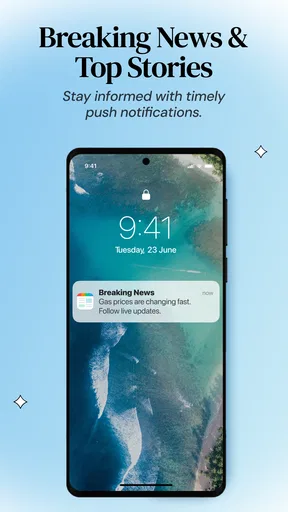
- Timely notifications for breaking news.
Cons
- Ads can be intrusive at times.
- Limited video content in some sections.
- Some articles require internet access.
- Occasional delay in news updates.
- No option for dark mode.
FAQs for SmartNews: Live News & Rewards
What is SmartNews and how does it work?
SmartNews is a news aggregation app that curates articles from various sources into a single, easy-to-navigate interface. It uses advanced algorithms to deliver trending stories and breaking news tailored to your interests. The app provides a clean, clutter-free reading experience and updates in real-time, ensuring you're always informed.
Is SmartNews free to use, or are there any in-app purchases?
SmartNews is free to download and use. The app monetizes through non-intrusive ads, ensuring you can access a wide range of news articles without any subscription fees. There are no in-app purchases, making it an accessible option for staying updated on current events.
Can I customize the types of news I see in SmartNews?
Yes, SmartNews allows you to customize your news feed based on your interests. You can select categories like politics, technology, sports, and entertainment to tailor the content. Additionally, you can follow specific publishers or topics, ensuring your feed is personalized to your preferences.
How does SmartNews ensure the credibility of its sources?
SmartNews partners with reputable news organizations and carefully selects sources to ensure credibility. The app includes articles from well-known media outlets and employs an editorial team to monitor and vet content quality. This approach helps maintain a high standard of journalism within the app.
Does SmartNews require an internet connection to function?
SmartNews does require an internet connection to retrieve the latest news updates. However, it includes an "Offline Reading" feature, allowing you to download articles and read them later without an internet connection. This is particularly useful for users who want to stay informed while on the go.


